
UIDBuy, screen after screen, until the courier knocks
The short version of buying through UIDBuy: ten stages, each with the screen you will see. Written for someone who has a link from the shelves and wants it at their door.
This is how to buy through UIDBuy step by step, trimmed to what you act on. It follows UIDBuy's own beginner guide, which has ten numbered steps of its own, and uses its official images where they exist. UIDBuy publishes examples of warehouse selection, shipping methods and fee details in its public Help Center. We use those below; an expanded item-QC gallery and the complete address/declaration form are not shown in the public material we checked. Where the official pages disagree on a number, we give both and link to the page that sets them side by side.
The video covers registering, searching, choosing options, filling in an address, paying, inspection and shipping in about two and a half minutes. The written stages below go slower and add the small rules the video skips.
Sign-up: email and password, or a Google login
UIDBuy's registration screen needs an email address and a password, typed once and then repeated; an invitation code box is optional. Then comes a tick against the User Registration Agreement and the UIDBuy Statement. Continue with Google skips the password. We have no invitation code to give you, and the code box can stay empty.
Read the registration agreement once before you tick it. It is where the 8% platform fee appears that the help center elsewhere says does not exist; more on that on the fees page.
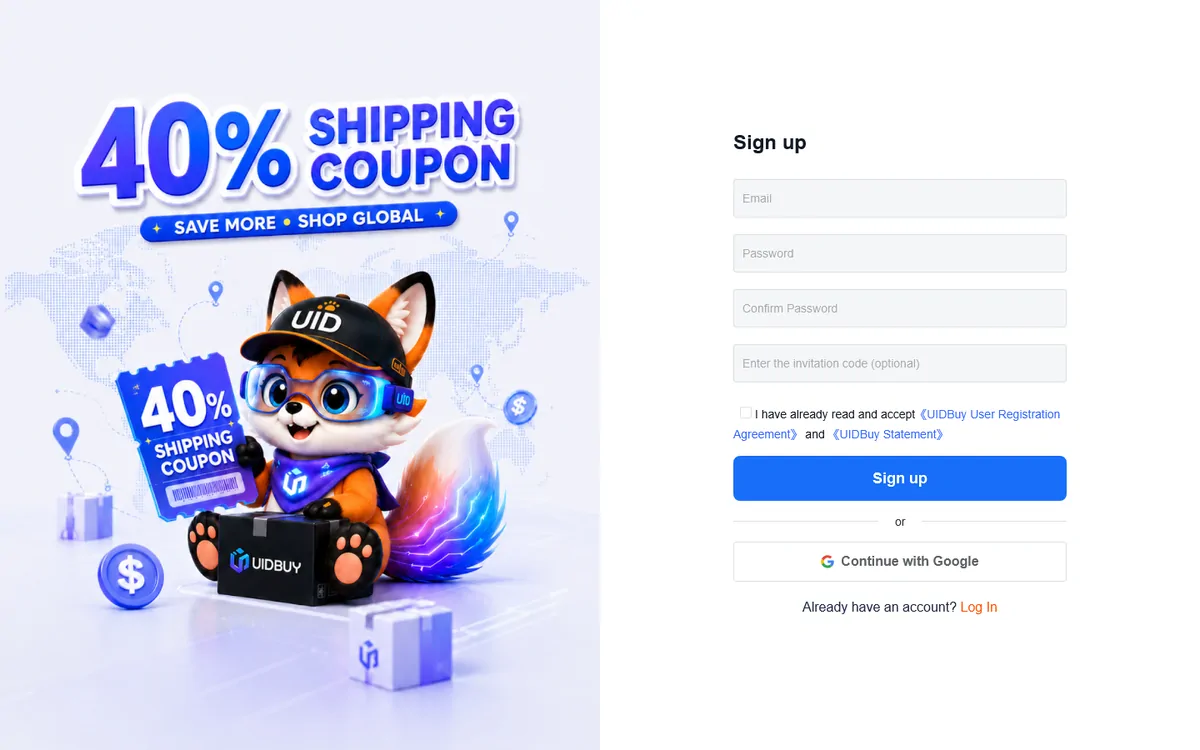
UIDBuy's sign-up page, captured October 22, 2026. The left half is a newcomer shipping coupon banner. Locating the listing: link, keyword or camera icon
The beginner guide offers three ways. A Taobao, Tmall or 1688 product link can go straight into the search bar. A product name typed there brings up matches from those platforms to choose from. Or the camera icon takes a photo upload and runs an image search. Links from the shelves on this site are marketplace links, so the first method is the quickest.
If a pasted link returns nothing, open it in a browser first. Shortened share links from the Taobao app sometimes need to be opened once to turn into a full product address.
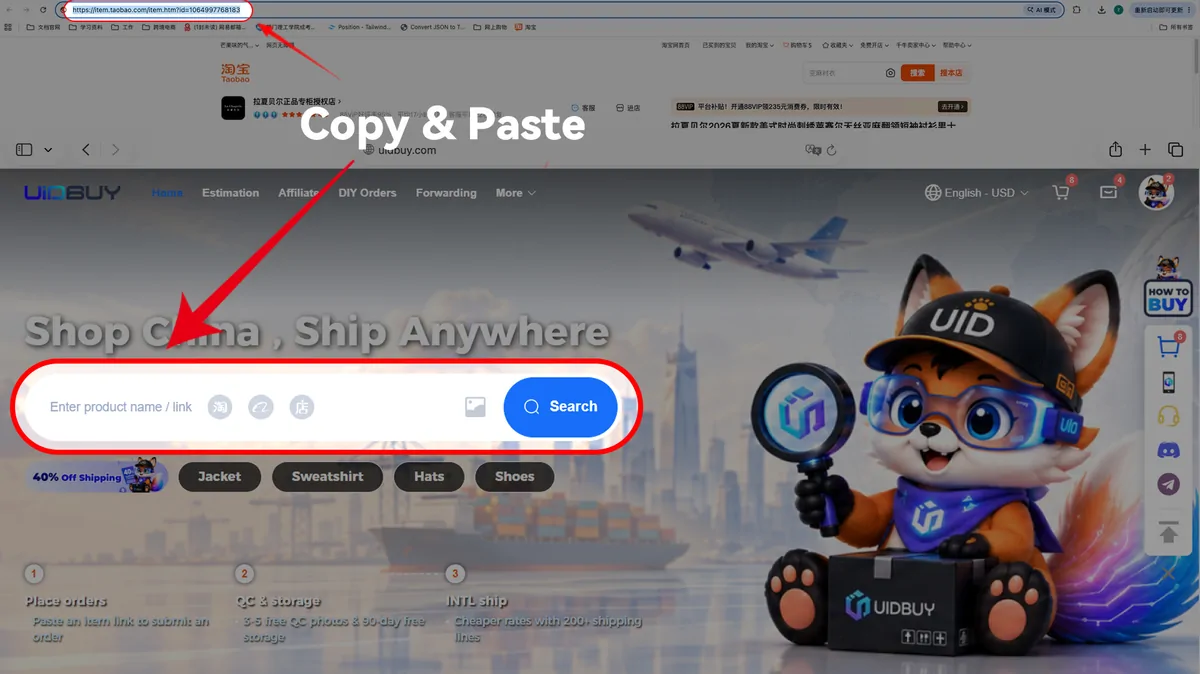
From UIDBuy's beginner guide (official image uploaded October 12, 2026): the product URL goes from the browser bar into UIDBuy's search box. Colour, size and quantity on UIDBuy's copy of the listing
UIDBuy rebuilds the listing on its own product page: the price in yuan and in your currency, the source platform, the seller's domestic shipping estimate to the warehouse, and the option menu. Choose the options, set the quantity and press Buy now or Add to cart.
The product page in the official example says "We provide free 3-7 pcs HD quality inspection photos". Keep that line in mind; other UIDBuy pages give other numbers.
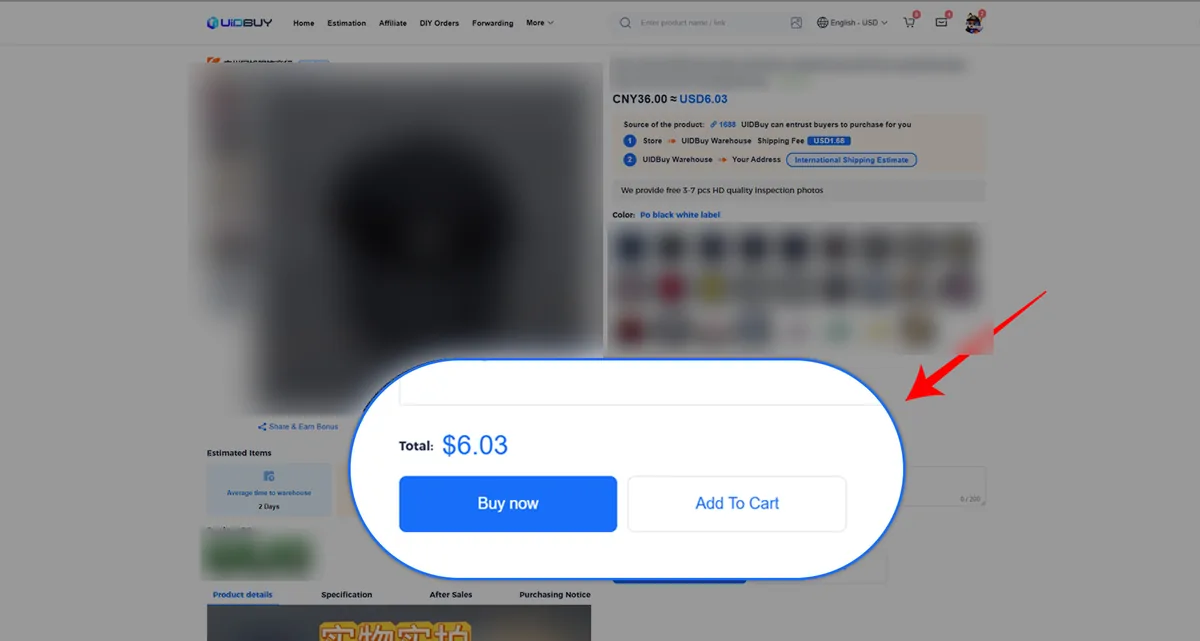
From UIDBuy's beginner guide. We blurred the product photo, title and colour swatches because the sample item carries a brand logo. The confirmation screen and its optional extras
The confirmation page lists each item with its unit price, the seller's domestic freight and an order total that does not yet include international shipping. Optional services sit under the item: a custom photo request and a message to the purchaser. This is where you write the measurements or close-ups you want.
Tick the box that says you have read the prohibited items statement, terms of service, return policy and disclaimer, then submit.
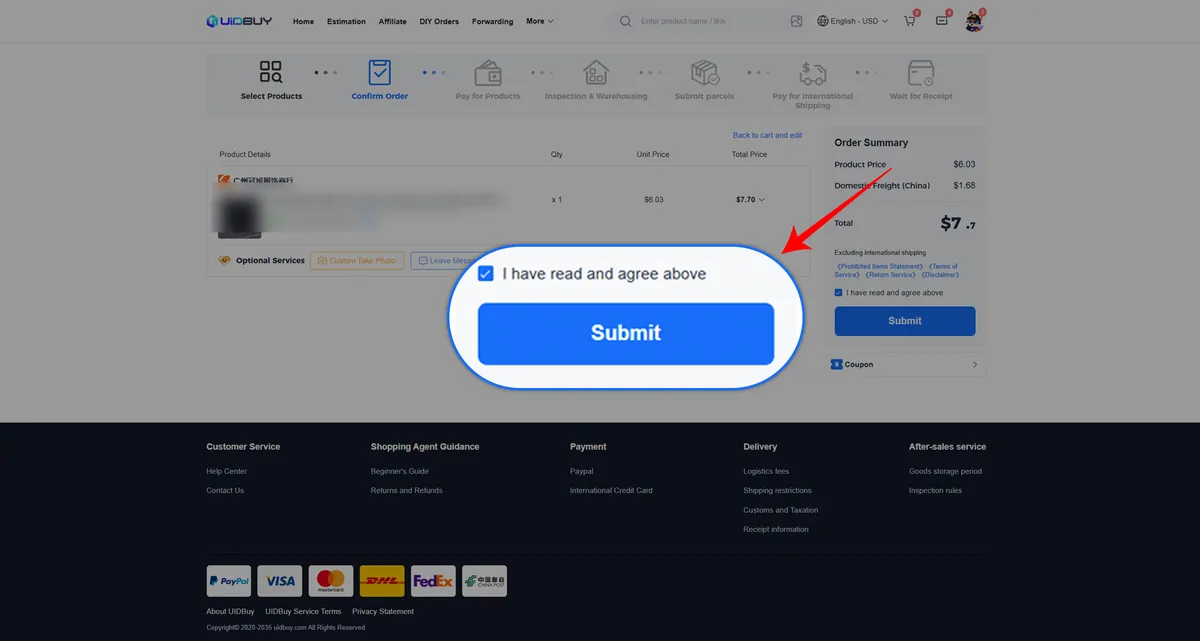
From UIDBuy's beginner guide. The cart line's thumbnail and title are blurred by us. Pay for the items and the domestic delivery
The payment page shows your billing address, the order fee and any handling fee, then the payment options. The official example lists the wallet balance, Apple Pay, Google Pay and card options. The help center names PayPal, credit cards and Google Pay, with balance payment for frequent buyers.
Card payments can trigger a "Verifying" status. If it has not changed after 24 hours, check your email for a document request; the help center says an order may be cancelled and refunded if you do not answer within 72 hours.
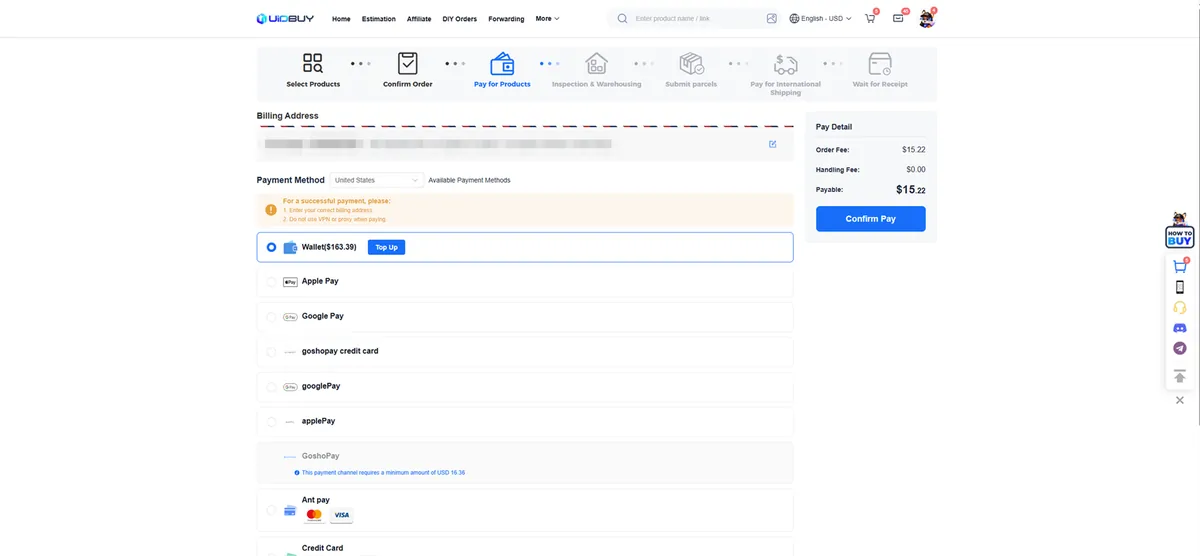
From UIDBuy's beginner guide. We pixelated the sample name, phone number and street address on the billing line. A purchaser places the order in China
A purchaser contacts the seller and places the order. The help center gives the processing window as within six hours for orders that come in from 8 am to 6 pm China time, and before 2 PM the next day for orders placed overnight, apart from orders where the seller cannot be reached.
Sellers on Taobao and 1688 usually dispatch within three to seven days. If a store shows stock online but tells the purchaser it is sold out, the purchaser's answer counts, and you will be asked what to do next.

From UIDBuy's beginner guide, official illustration. Arrival, inspection photos and free storage
Parcels from sellers come to the warehouse in Xiamen. The help center puts domestic transit at one to two working days from the Pearl River Delta, three to five from the Yangtze River Delta and about seven from remote areas. Inspection then takes about a working day. The status goes from Received to Stock arrived to Stored, and the photos appear on the order in your Warehouse page.
The public Help Center shows the warehouse selection screen below. Its Free Photos boxes are placeholders, so they do not show the actual inspection result. Open the photos for your own stored item before approving it for shipping. What to look for is on the QC page. Free storage starts counting from the stored date: 90 days for purchased items, 60 for forwarded parcels.
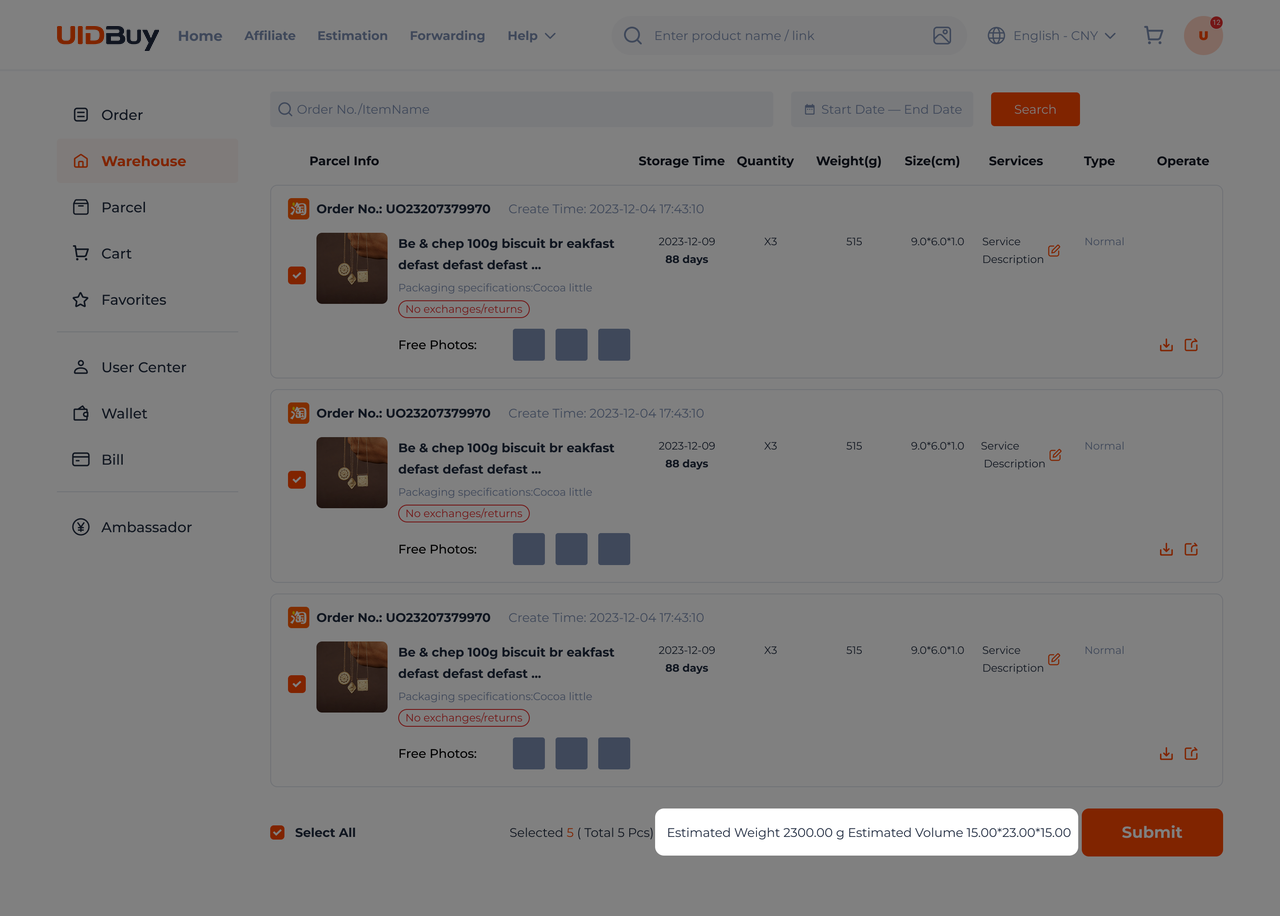
Official Help Center example: stored items selected for a parcel, with estimated weight and volume highlighted. The grey Free Photos boxes are placeholders, not expanded QC photos. Open full-size image. Ticking stored items, then settling a freight deposit
On the Warehouse page, select what should travel together and create the parcel. You choose the address, a recommended route, a declaration mode and any extras such as reinforcement or insurance. Items with mailing restrictions limit the route list; items marked for separate packing cannot join the others.
Next comes a freight deposit worked out from the system's weight estimate. Once the box is packed and put on the scale, UIDBuy settles up: you pay any shortfall, and overpayment above the continued-weight step is refunded to your UIDBuy balance.
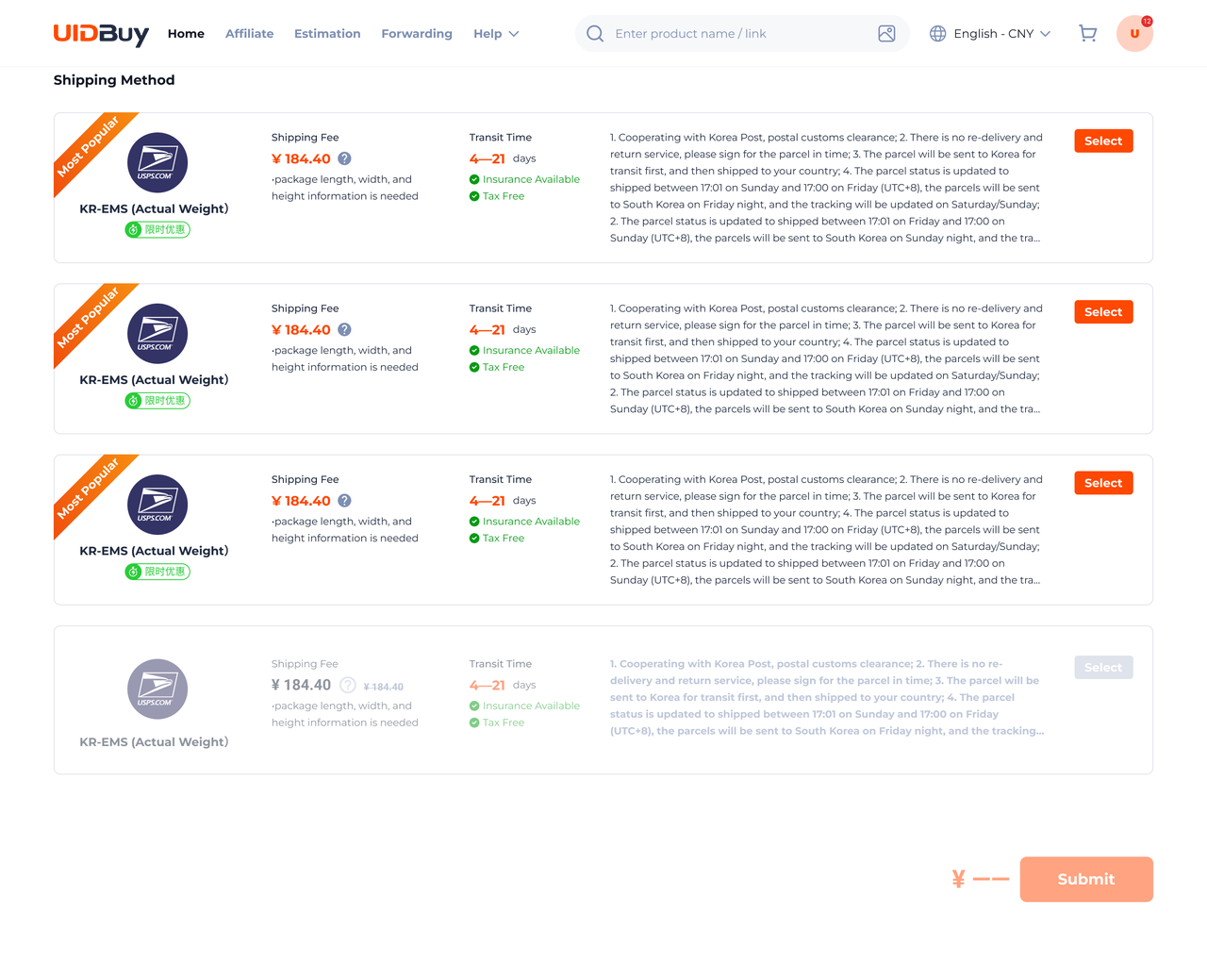
Official Help Center example: choose an available Shipping Method, then Submit. This shows route selection; address, declaration and extra-service fields are outside this image. Sample prices and transit times are not a current quote. Open full-size image. If no route is available, UIDBuy says to open View Reason and check the item restrictions with support. Do not change a restriction simply to force a quote: the parcel still has to meet the carrier's rules.
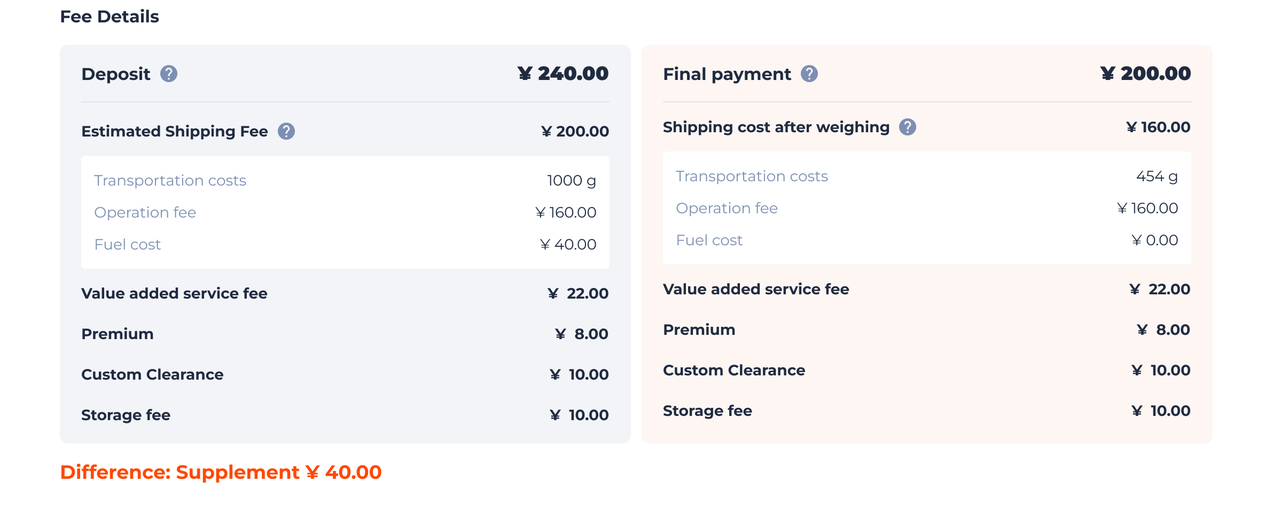
Official Help Center example of the Deposit and Final payment columns. Its difference label conflicts with the displayed totals, so use this to locate fee components, not to calculate a refund or extra payment. Open full-size image. 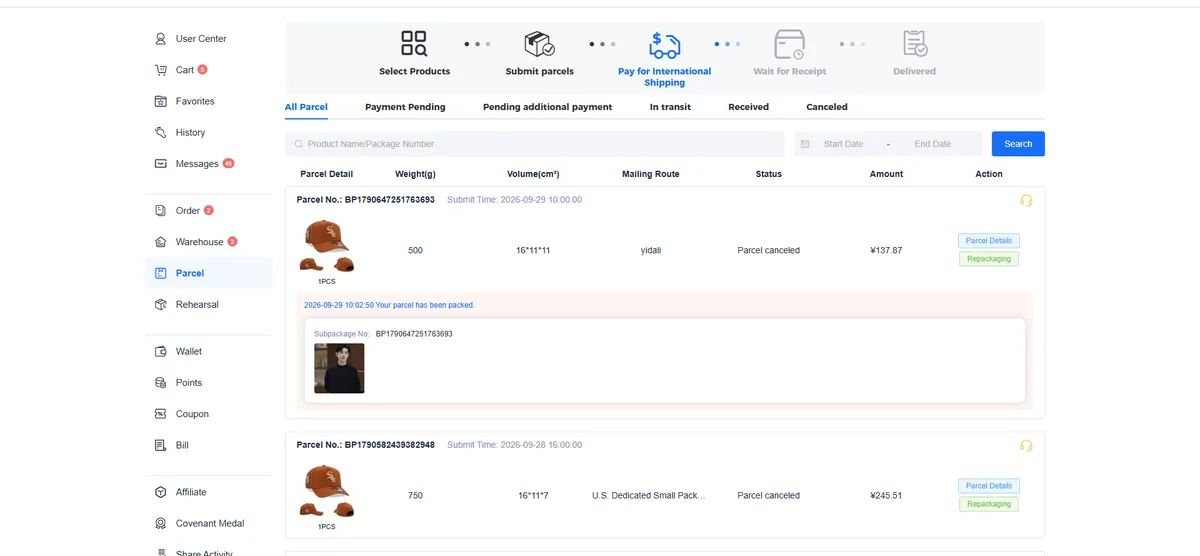
From UIDBuy's beginner guide: the Parcel page at the shipping payment stage. Sample parcels only. Into the carton, onto the scale, out the door
The warehouse consolidates the items, reinforces the box if you asked, weighs it and hands it to the carrier. Pickup days depend on the line; the help center's schedule has DHL lines collected Monday to Saturday and postal lines leaving every day.
Once dispatched, the clock on UIDBuy's delay rule starts. If the parcel is not delivered within 30 calendar days of the Dispatched timestamp, the rule pays back 20% of the shipping fee you actually paid, excluding coupons and extras.
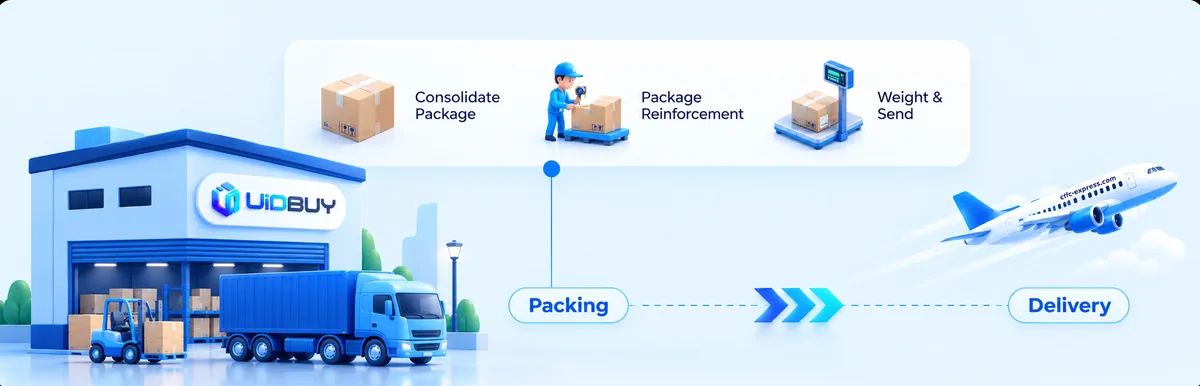
From UIDBuy's beginner guide, official illustration of the packing stage. Tracking, delivery and after-sales
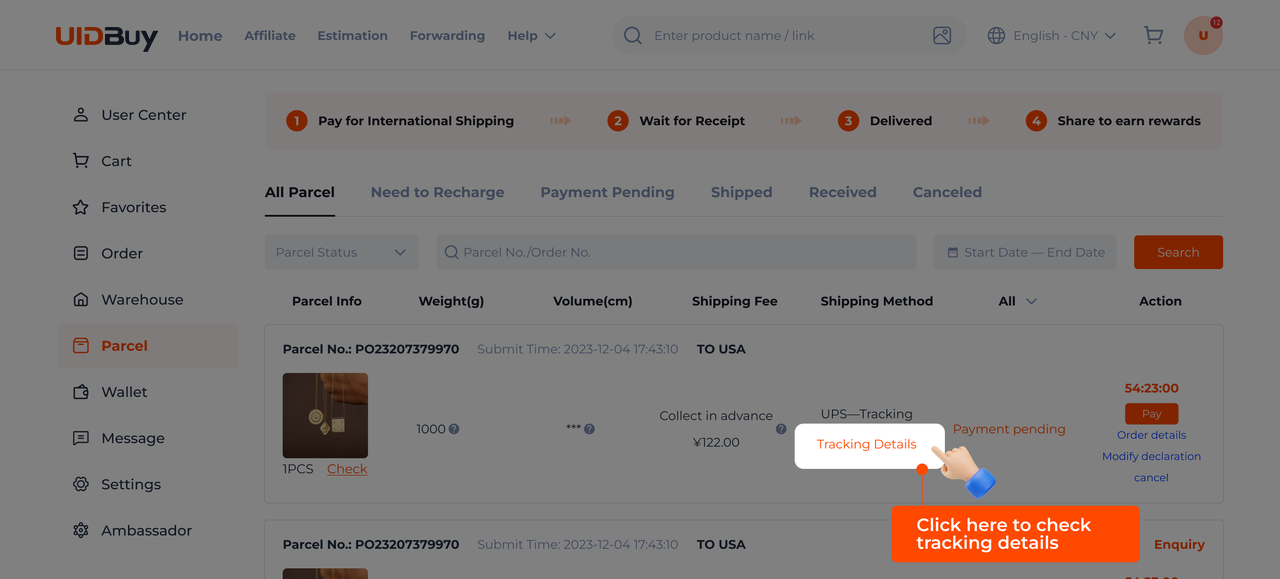
Official Help Center example: open Tracking Details on the relevant parcel. This shows the tracking entry point, not a complete carrier scan history. Open full-size image. On the Parcel page, open Tracking Details on the correct parcel. UIDBuy also points to the carrier website or 17TRACK; scans may appear late after international handovers. The help center says the actual billing weight shows up under the parcel's details about three days after dispatch, which is when you can check the final freight against the deposit. When the parcel arrives, confirm receipt on the same page.
If something is wrong, apply for after-sales from that parcel rather than from a general chat, so the request is tied to the right order. Photograph the parcel before opening it if the box looks damaged.
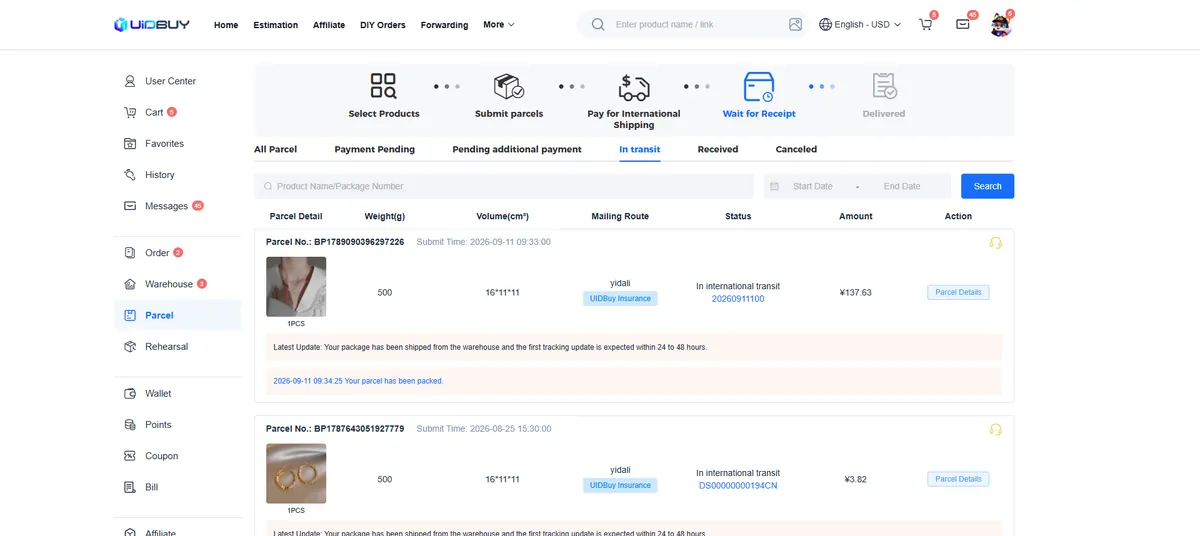
From UIDBuy's beginner guide: parcels in transit, Wait for Receipt stage.
What the short guide leaves for other pages
Costs are broken down on the fees page, including the 8% clause and the unpublished handling percentage. Route choice, volumetric weight and declarations are on the shipping page. Reading inspection photos and the five-day return window are on the QC page. If you have not chosen an item yet, start from the shelves.
Ready to start? Make a UIDBuy account. It takes a minute, and the search bar is usable straight after.